Consistent Etsy Listing Photos Across Products
Compare the same image role across your products: first image with first image, detail with detail. Keep framing, backgrounds and information order recognisable while showing each item’s actual colour, shape and features.
On this page · 4 sections
Compare products doing the same job
Use one clear product view for each item as your starting set. Comparing a close-up of one product with a lifestyle view of another makes it harder to judge consistency.
View full image
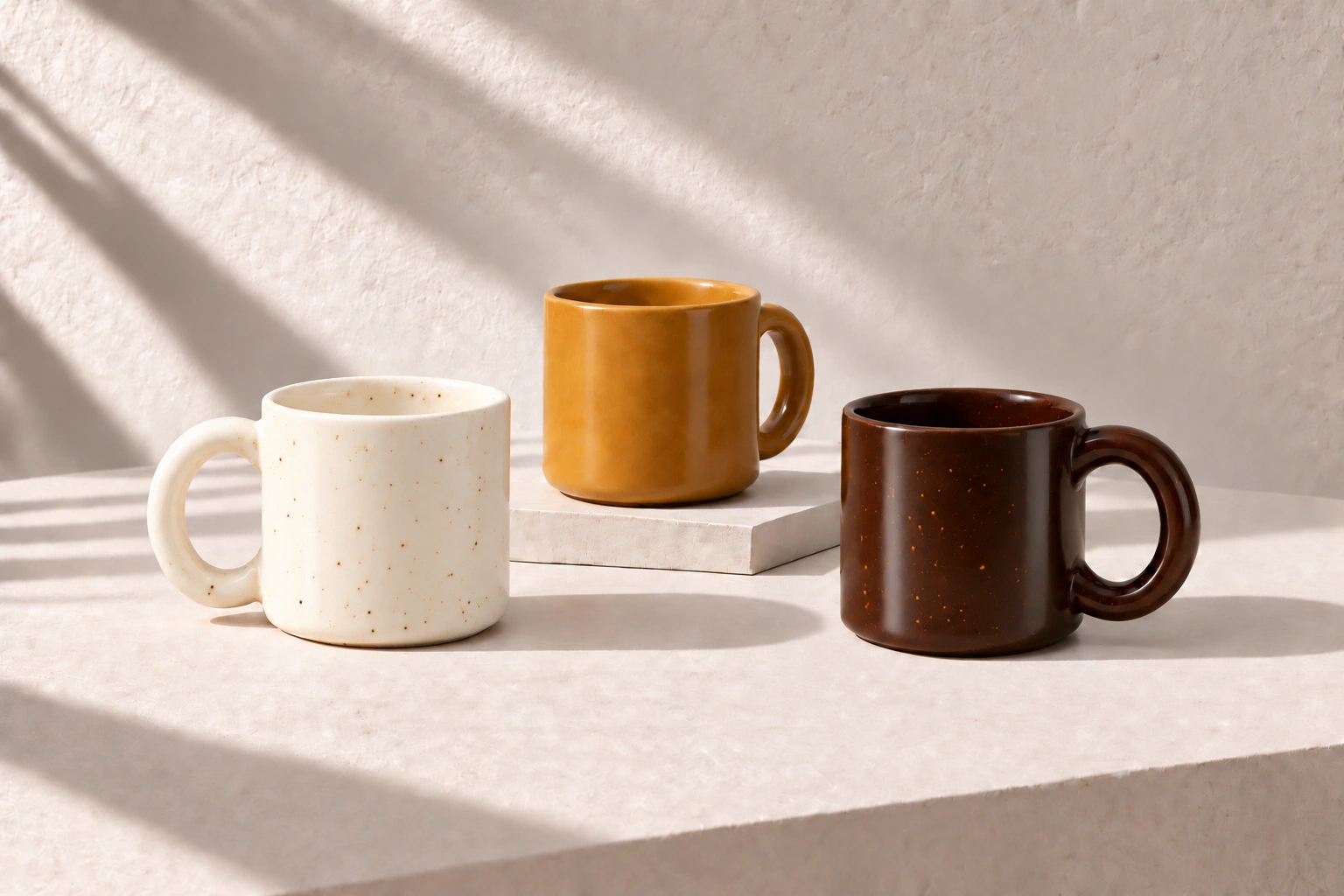
Compare the mugs: the ivory keeps its speckles, and the ochre and umber retain distinct colours. The shared setting connects the range without hiding those differences.
Decide what stays consistent
| Presentation choice | Keep consistent | Allow to change |
|---|---|---|
| Background and light | A compatible palette and similar light direction. | Actual colour and finish. |
| Framing and spacing | Comparable space around the item. | Room for its shape and proportions. |
| Information hierarchy | The same label position, type size and order. | Confirmed facts and units for this item. |
| Image sequence | Product view, useful detail, size and contents. | Extra views needed for this product. |
Do not make a taller item appear smaller just to fill the same box. Keep the whole product visible and use accurate measurements to explain scale. A common layout is useful only when it still describes each item honestly.
Apply the rules to existing photos
- Choose a reference presentation
Pick the clearest existing product view. Note its background, visual balance and space around the item.
- Build a short set for each product
Start with equivalent views: product, detail, size and contents where relevant. Keep the order familiar across the range.
- Match the presentation, then check the facts
Use the same label style and information order. Check every colour name, dimension and included piece against that product.
A clear first image and a close-up can use different compositions within one listing. Apply the shared rules across equivalent views of different products; do not force every image in a listing to look identical.
If an existing photo is too tightly cropped or lit very differently, flag it as a mismatch. Do not stretch the product, recolour it or copy another item’s measurements to force a match.
Review the range side by side
- First images identify the individual products and feel part of the same range.
- No product appears cut off, stretched or misleadingly scaled.
- Real differences in colour, shape and finish remain visible.
- Labels use the same hierarchy and the correct facts for each item.
- Each listing still has the views its own buyer needs.
Sources & further reading
Sources checked 24 Oct 2026